

A live webcam can be a simple way to see what is happening in a destination before you visit. bayfield cam searches are especially useful for people interested in Bayfield, Wisconsin, Lake Superior, harbor activity, weather conditions, and the nearby Apostle Islands. One of the best-known live views comes from a camera positioned on the rooftop of The Bayfield Inn, overlooking Bayfield Harbor, Lake Superior, the Apostle Islands National Lakeshore, and Madeline Island. The camera is described as streaming around the clock, although fog, snow, ice, or other weather can occasionally obstruct the view.
Whether you are planning a trip, checking lake conditions, watching boats, or simply enjoying a scenic view from home, a Bayfield webcam provides a real-time connection to this waterfront community.
What Can You See From the Bayfield Webcam?
Bayfield’s location on the shore of Lake Superior gives its webcams a particularly interesting range of views.
Depending on the camera and current conditions, viewers may see:
- Bayfield Harbor
- Lake Superior
- Boats and marina activity
- Madeline Island
- The Apostle Islands region
- Downtown waterfront activity
- Changing weather
- Sunrise and sunset views
- Snow and ice during winter
- Fog moving across the lake
- Summer boating activity
The main waterfront camera associated with The Bayfield Inn provides a broad view across the harbor and lake. It can also capture special events and seasonal activity in Bayfield.
Because Lake Superior weather can change quickly, the same camera can look completely different from one day to another.
Why Watch a Bayfield Live Camera?
A webcam is more than an online scenic picture. It can provide useful visual information for travelers and people who simply enjoy watching the Great Lakes.
Check Current Conditions
A live view can give you an immediate sense of visibility and general weather conditions.
You might see clear skies and calm water, or you could encounter fog, rain, snow, or rough-looking water. The camera should not replace an official weather forecast, but it can complement forecast information.
Preview Your Trip
If you are planning a visit to Bayfield, checking the webcam can help you get a visual impression of the destination before leaving home.
You can see what the waterfront looks like, observe seasonal conditions, and get a sense of whether the harbor is busy or quiet.
Watch Seasonal Changes

Bayfield is a year-round destination, and the waterfront changes dramatically throughout the seasons.
| Season | What You May See |
|---|---|
| Spring | Ice breaking up, changing weather, early boating activity |
| Summer | Boats, ferries, clear lake views, busy waterfront |
| Fall | Autumn scenery, cool weather, colorful surroundings |
| Winter | Snow, ice, frozen-looking waterfront, quiet harbor |
The seasonal variety is one of the reasons live cameras around Bayfield and Lake Superior can remain interesting throughout the year.
Bayfield Harbor and Lake Superior Views
Bayfield is closely connected to Lake Superior, and the harbor is an important part of the community’s character.
The waterfront camera at The Bayfield Inn looks toward the harbor and the lake, creating a useful view for people interested in boating conditions, weather, and waterfront activity.
On a calm summer day, the water may appear relatively smooth and filled with boats. On a windy day, the lake can look much more active. Winter brings an entirely different atmosphere, with snow and ice potentially changing the appearance of the shoreline.
Watching Boat Activity
Boating is an important part of the Bayfield experience.
During warmer months, webcams can show boats moving around the harbor and marina areas. This can be particularly enjoyable for anyone interested in sailing, fishing, cruising, or Great Lakes travel.
A webcam does not provide a complete picture of marine conditions, however. If you are making an actual boating decision, always consult appropriate marine forecasts and local information.
Views Toward Madeline Island
One of the most interesting aspects of Bayfield’s location is its connection with Madeline Island.
The island sits across the water from Bayfield and is accessible through the local ferry system. A camera looking across Lake Superior can therefore provide more than just a city view—it can offer a glimpse toward the island and surrounding waterways.
There is also a separate webcam on Madeline Island that looks west from the Beach Club toward the ferry dock area and the channel between the island and Bayfield.
This creates an interesting opportunity for viewers to compare conditions from both sides of the water.
Bayfield Webcams for Travel Planning
A live camera can be particularly useful when planning a trip.
Before Driving to Bayfield
Check the webcam before starting your trip to get a visual impression of conditions at the destination.
This is especially enjoyable during winter or during periods of rapidly changing weather.
However, always use official road and weather information for travel decisions rather than relying solely on a webcam.
Before a Boat Trip
If you are planning to spend time on Lake Superior, watching the harbor can provide a useful visual reference.
Look for:
- Visibility
- Clouds
- Rain
- Snow
- General lake appearance
- Harbor activity
- Wind indicators such as moving flags or water texture
A webcam is only one source of information, so boaters should use current marine forecasts and official advisories as their primary safety resources.
Before Exploring the Waterfront
Visitors staying in Bayfield can check the camera before heading toward the waterfront.
It can be fun to compare the online view with what you eventually see in person.
Other Cameras Around Bayfield
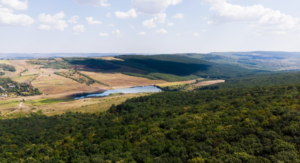
The main waterfront webcam is not the only camera available in the area.
Port Superior Marina
Port Superior Marina has a live camera showing its Lake Superior marina environment. The marina describes its camera as a live feed from its location in Bayfield.
A marina camera can provide a different perspective from a downtown waterfront webcam.
Instead of focusing primarily on the city and harbor, it can give viewers more of a marina and boating perspective.
Roy’s Point Marina
Roy’s Point Marina is another Bayfield-area location with live dock cameras. Its website provides live views from Dock Cameras A and B.
These cameras can be useful for watching marina activity, boats, weather changes, and conditions around the docks.
Pikes Bay Marina
Pikes Bay Marina on Lake Superior- Boat Storage & Service Center also has a live camera providing a view of its marina area. The camera can be useful for people interested in boating and Lake Superior conditions around Bayfield.
Having multiple cameras is helpful because one view may be blocked by fog, weather, buildings, or other temporary conditions while another camera remains clear.
What Makes Bayfield an Interesting Webcam Destination?
Bayfield’s geography makes it particularly well suited for live-camera viewing.
The community sits along Lake Superior and serves as a gateway to the Apostle Islands area. That means a single view can combine several types of scenery:
- Historic waterfront surroundings
- Lake Superior
- Working harbor activity
- Island views
- Boats
- Seasonal weather
- Recreational activity
The result is a webcam scene that changes naturally throughout the day.
Summer Views
Summer is often the busiest period around the waterfront.
Boats, visitors, ferries, and outdoor activities can make the harbor lively. Clear days may provide expansive views across the water.
Fall Views
Autumn brings cooler weather and a different atmosphere.
The area around Bayfield is known for seasonal scenery, and the waterfront can provide a beautiful contrast between changing land colors and the blue or gray tones of Lake Superior.
Winter Views
Winter creates some of the most dramatic webcam scenes.
Snow, ice, cloudy skies, and limited daylight can make Bayfield look completely different from its summer appearance. The main Bayfield webcam specifically notes that snow, ice, and fog can occasionally obstruct the view.
How to Get the Most From a Live Webcam
Watching a webcam casually can be entertaining, but you can make the experience more useful by knowing what to look for.
Compare Different Times of Day
Morning, afternoon, and evening can produce dramatically different lighting.
Early morning may show calm water and soft light, while afternoon may provide clearer views of boats and activity. Evening can create attractive sunset or twilight scenes.
Check During Different Seasons
If you are considering a future trip, looking at the camera during different seasons can help you understand how much the destination changes.
A summer visitor may see a very different Bayfield from someone visiting in February.
Compare Multiple Cameras
If one camera is obstructed, check another nearby camera.
For example, a downtown waterfront view and a marina camera may show different conditions at roughly the same time.
Webcam Limitations to Keep in Mind

Live cameras are useful, but they have limitations.
Weather Can Block the View
Fog, heavy snow, rain, and ice can obscure the lens. The Bayfield waterfront camera specifically notes that weather can occasionally interfere with visibility.
A Camera Shows Only One Location
A clear image at one marina does not necessarily mean conditions are identical throughout Lake Superior.
Weather and water conditions can vary significantly across the region.
It Is Not a Weather Forecast
A webcam gives you a visual snapshot rather than a complete forecast.
For travel, boating, hiking, or other outdoor activities, use official weather information alongside the camera view.
Bayfield Cam vs. a Regular Travel Photo
A traditional travel photograph gives you a carefully selected moment.
A live webcam provides something different: an ongoing view that changes with weather, people, boats, daylight, and seasons.
| Feature | Live Webcam | Travel Photo |
|---|---|---|
| Real-time view | Yes | No |
| Shows current weather | Visually | No |
| Seasonal variety | Continuous | Limited |
| Shows movement | Yes | No |
| Useful for trip preview | Yes | Yes |
| Shows exact current conditions | Limited | No |
For travelers, the two formats work well together. Photos are better for understanding attractions and scenery, while webcams are useful for getting a feeling for what is happening right now.
Tips for Using Webcams Before a Trip
If you are planning a Bayfield visit, consider checking the cameras at several points during your planning process.
A few useful habits include:
- Check the camera a few days before your trip.
- Look again on the morning of departure.
- Compare the camera with official weather information.
- Check marina cameras if you are interested in boating.
- Look at the view during different times of day.
- Remember that camera visibility can change quickly.
- Do not rely on a webcam alone for safety decisions.
This approach gives you a better overall picture without treating the camera as a substitute for official information.
Key Points to Remember
- Bayfield webcams provide live views of the waterfront and Lake Superior.
- The main Bayfield waterfront camera overlooks the harbor, lake, Apostle Islands region, and Madeline Island.
- Weather can temporarily obstruct webcam views.
- Different cameras provide different perspectives around Bayfield.
- Marina cameras are especially useful for people interested in boating.
- Live views are helpful for trip planning and seasonal observation.
- A webcam should supplement, not replace, official weather and marine information.
- Summer, fall, winter, and spring can produce dramatically different scenes.
- Comparing multiple cameras can provide a broader picture of local conditions.
- Bayfield’s waterfront location makes it an appealing year-round webcam destination.
Final Thoughts
A live webcam is one of the easiest ways to experience Bayfield, Wisconsin, from almost anywhere. The waterfront views connect viewers with Lake Superior, the harbor, nearby islands, boats, changing weather, and the seasonal character of the community.
For travelers, a camera can be a useful part of trip preparation. For boaters, marina cameras can provide an additional visual reference. And for people who simply enjoy beautiful Great Lakes scenery, watching Bayfield change throughout the day can be relaxing in its own right.
The best approach is to explore more than one camera when possible. A downtown waterfront view, a marina camera, and an island-facing camera can each reveal something different about the area. Together, they provide a richer picture of Bayfield and its connection to Lake Superior.
Frequently Asked Questions
1. Where can I watch a live view of Bayfield, Wisconsin?
A prominent live webcam is located at The Bayfield Inn and overlooks Bayfield Harbor, Lake Superior, the Apostle Islands region, and Madeline Island. Other live cameras are also available at Bayfield-area marinas.
2. Can a Bayfield webcam show current weather conditions?
Yes, a webcam can provide a visual indication of current conditions such as fog, snow, rain, visibility, and lake appearance. However, it should not replace an official weather forecast.
3. Are there marina webcams near Bayfield?
Yes. Port Superior Marina, Roy’s Point Marina, and Pikes Bay Marina have live camera options that provide different views of the Bayfield-area waterfront and boating environment.
4. Can I see Madeline Island from Bayfield webcams?
Some Bayfield waterfront cameras provide views toward Madeline Island. There is also a separate Madeline Island webcam that looks toward the ferry dock and the waterway between the island and Bayfield.
5. Are Bayfield webcams useful for planning a boat trip?
They can provide a helpful visual reference for harbor activity, visibility, and general conditions, but boaters should always rely on current official marine forecasts, warnings, and local safety information when making decisions on the water.










Leave a Reply